You can easily import all of the demo data and images. You have already downloaded copy of demo content on your local file which you downloaded on step3
Method -1: Dynamic Import Data
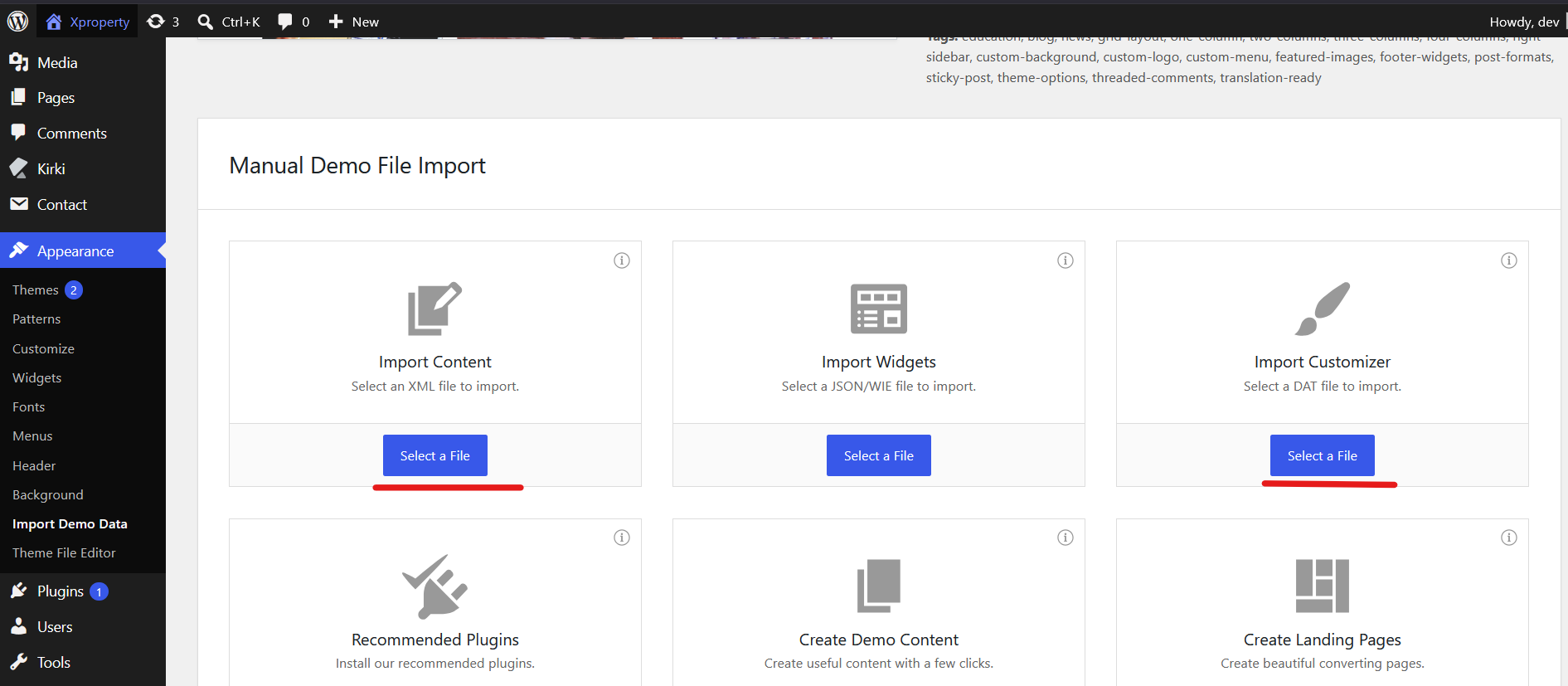
- Step 1: Go to Appearance > Import Demo Data
- Step 2: Upload XML Demo Data & Customize Import from your downloaded files and then click on Continue & Import button.
Method-2: Manually Import Data
- Step 1: Go to Tools > Import > WordPress
- Step 2: Upload xml-demo-import from your downloaded files
- Step 3: Go to Customizer > Export/Import Upload customer-import file from your downloaded files